Instagram Reels caption generator
Instagram can add simple captions inside the app, but they look the same on every Reel, they are small, and you cannot style them much. The Reels that stop the scroll usually have bold, animated words burned into the video. BolCaps makes those for free in your browser: drop in your Reel, let the AI write the words, pick a style and export a 9:16 MP4 ready to post.
Caption my Reel free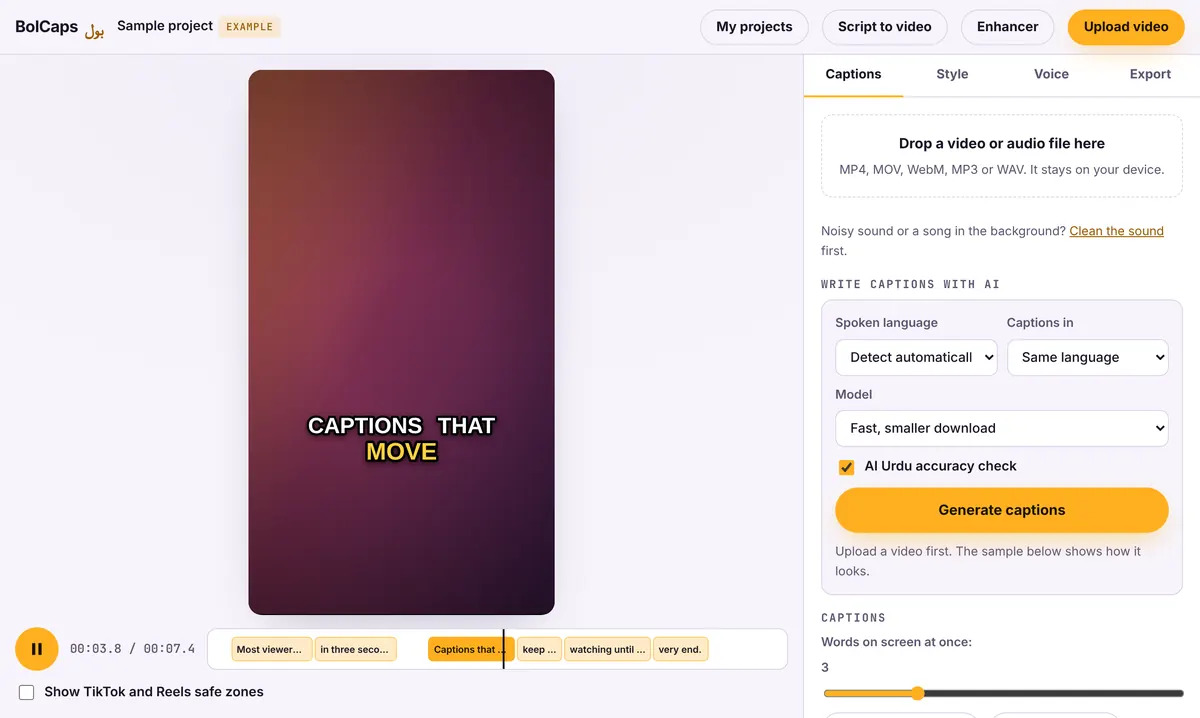
How to do it
- Export your Reel from your phone or editor as a 9:16 video without text on it.
- Open the Caption studio on your phone or computer and add the video.
- Let the AI write the captions, then tap any word to fix it.
- Pick a style and turn on Show TikTok and Reels safe zones to keep words clear of the buttons.
- Export the MP4 and upload it to Instagram as a Reel.
Instagram's own captions vs burned-in captions
Instagram's auto captions are a sticker or an accessibility setting: they show in Instagram's own font and only where Instagram supports them. Burned-in captions are part of the video, so they show everywhere, keep your colors and fonts, and stay on when you also post the same video to TikTok, YouTube Shorts or Facebook.
Where to put captions on a Reel
The bottom fifth of a Reel is covered by your caption text, the audio name and the Like, Comment and Share buttons on the right. Place captions in the middle of the frame or just above it. If you show your face, put the words below your chin, not over your mouth.
Reels that get watched to the end
- Say the hook in the first second and put it on screen as text.
- Use 2 to 4 words per caption so viewers can read at a glance.
- Highlight the key word in your brand color.
- Add a short call to action at the end: "Save this for later."
No watermark
Your video is exported clean. A small "Made with BolCaps" credit is on by default, and one tick box turns it off. You need a free account only when you download.
Frequently asked questions
Is the Reels caption generator free?
Yes. Captions, styles and MP4 export are free with no watermark.
Does it work on iPhone and Android?
Yes, in Safari or Chrome. Long videos are faster on a laptop.
Will Instagram lower the quality?
Export at 1080 x 1920. Instagram compresses every Reel, but a sharp 1080p file gives the best result.
Can I caption a Reel in Spanish or Hindi?
Yes. Pick from 90+ spoken languages, or turn speech in another language into English captions.
More free tools
Free auto caption generatorAdd captions to a TikTok videoYouTube Shorts subtitle generatorFree SRT subtitle generatorCaptions for podcast clipsReddit story video makerFaceless video makerFree AI voice generatorTranscribe audio to text, freeAnimated captions generatorVideo to text converterBurn subtitles into a videoA free Submagic alternativeA free VEED alternativeFree Urdu caption generatorHindi subtitles for Reels, freeAdd subtitles to a video, freeUrdu audio to textHindi audio to textFree Urdu text to speechFree Hindi text to speechFree AI text to videoA free CapCut alternativeRemove background noise from a videoRemove music from a video, keep the voiceYouTube reused content checkerYouTube thumbnail testerFree photo enhancerBlur a face in a photo online