Transcribe audio to text, free
Turn interviews, lectures, voice memos and meeting recordings into text you can search, copy and quote. BolCaps sends the sound to the Whisper speech model on its server and deletes it once the text is back, so there is nothing to download and a generous free daily allowance.
Transcribe my audio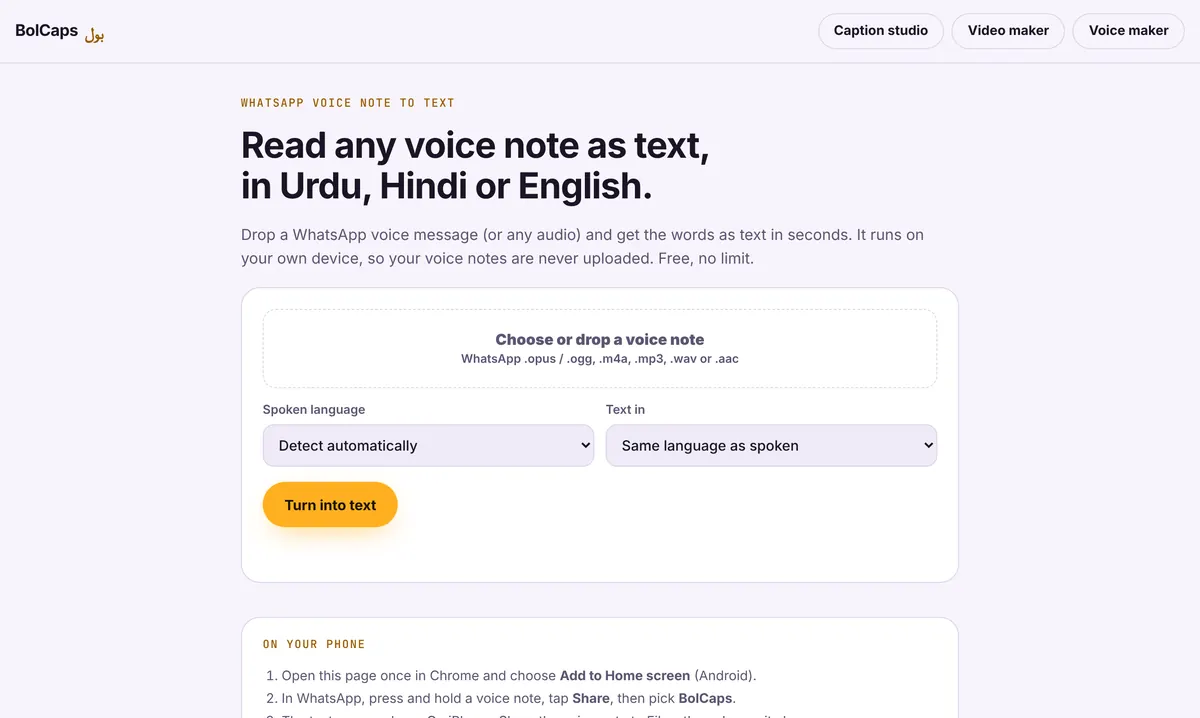
How to do it
- Open Voice note to text on your computer or phone.
- Drop in your file: MP3, M4A, WAV, AAC, OGG, or an iPhone voice memo.
- Pick the spoken language and press Turn into text.
- Read the transcript, fix names, then copy it or download a .txt file.
Good for
- Students turning lectures into notes
- Journalists and researchers transcribing interviews
- Writers who think out loud in voice memos
- Creators who want a script or blog post from a video
Get the best accuracy
Record close to the mic in a quiet room. If the file has hum or background noise, clean it first with the free sound cleaner. For a video with timed subtitles, use the Caption studio instead.
Private, no upload
Most transcription sites upload your file and charge by the minute. Here only the sound is sent to the speech service and it is not stored, and the video never leaves your device.
From transcript to finished notes
A raw transcript reads like speech: repeated words, half sentences, no headings. Clean it in three passes: remove filler words, break it into paragraphs at each new topic, then add a short heading to each paragraph. For an interview, put the speaker's name in front of each answer.
Supported files
- Audio: MP3, M4A, WAV, AAC, OGG, OPUS, AMR, WebM
- Phone recordings: iPhone Voice Memos, Android recorder, WhatsApp voice notes
- Video: MP4, MOV and WebM (the sound is transcribed)
Frequently asked questions
Is it really free?
Yes, with no minute limit.
How long can the recording be?
Long recordings work but take longer. A laptop is faster than a phone for anything over 30 minutes.
Does it add timestamps?
For timestamps, use the Caption studio and download an SRT file.
Which languages are supported?
English and 90+ other languages, including Spanish, French, German, Hindi and Arabic.
Can it tell who is speaking?
No. It writes all speech as one transcript. Add speaker names while you edit.
More free tools
Free auto caption generatorAdd captions to a TikTok videoYouTube Shorts subtitle generatorFree SRT subtitle generatorCaptions for podcast clipsReddit story video makerFaceless video makerFree AI voice generatorAnimated captions generatorInstagram Reels caption generatorVideo to text converterBurn subtitles into a videoA free Submagic alternativeA free VEED alternativeFree Urdu caption generatorHindi subtitles for Reels, freeAdd subtitles to a video, freeUrdu audio to textHindi audio to textFree Urdu text to speechFree Hindi text to speechFree AI text to videoA free CapCut alternativeRemove background noise from a videoRemove music from a video, keep the voiceYouTube reused content checkerYouTube thumbnail testerFree photo enhancerBlur a face in a photo online