Urdu audio to text, free
Need the words from an Urdu voice note, a lecture recording or an interview? BolCaps listens to the audio and writes it out as Urdu text. You can switch it to Roman Urdu or translate it to English in one tap. Your recording is sent to our speech service only to write the text, and it is not stored.
Turn Urdu audio into text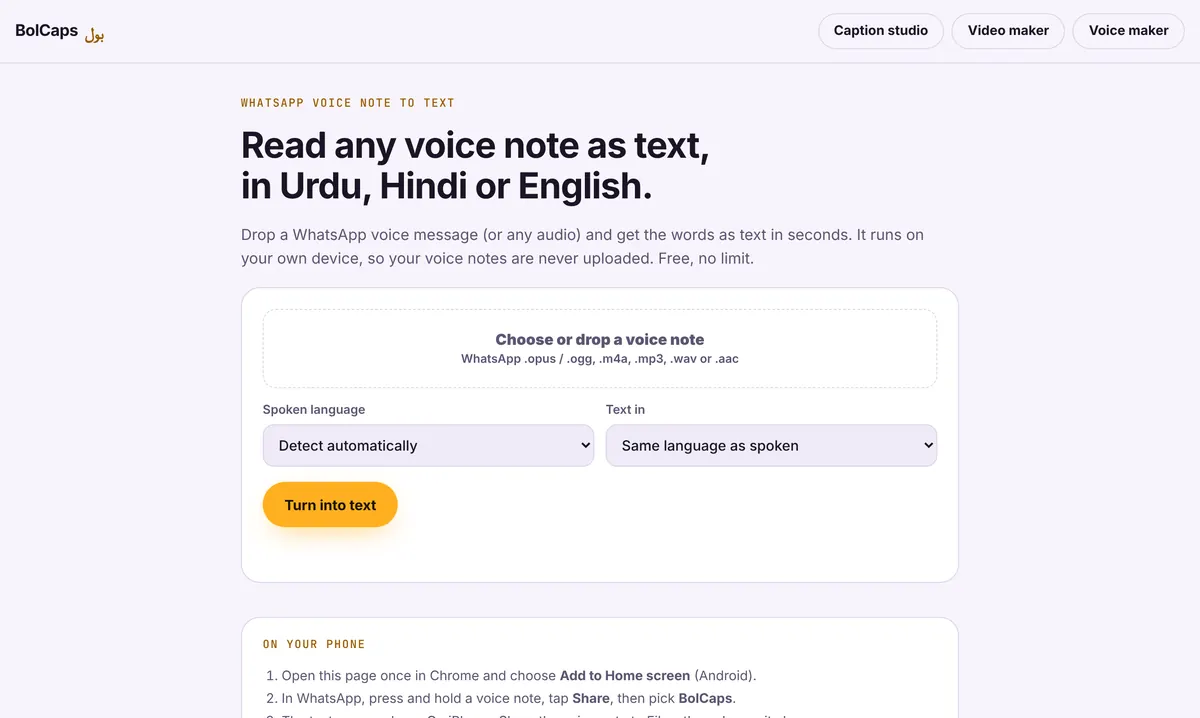
How to do it
- Open Voice note to text. It works on a phone or a computer.
- Choose or drop your file: a WhatsApp voice note (.opus or .ogg), .m4a, .mp3, .wav or .aac.
- Set the spoken language to Urdu and press Turn into text.
- Read the text and fix any names or spellings. Then copy it, download it as a .txt file, switch it to Roman Urdu or translate it to English.
Urdu script, Roman Urdu or English
The text comes out in Urdu script first. The Roman Urdu button rewrites it in English letters, the way most people type Urdu on WhatsApp. The Translate to English button gives you an English version for emails, notes or captions. Automatic Roman Urdu is not perfect, so check names before you share it.
What it is good for
- Reading long WhatsApp voice notes when you cannot play sound.
- Writing notes from a class, a sermon or a meeting recording.
- Getting a script from your own recorded voice for a YouTube video or a blog post.
- Typing Urdu without an Urdu keyboard: just speak and convert.
How accurate is it?
Clear speech with little background noise works best. Strong background music, many people talking at once, or a lot of mixed Urdu and English lowers the accuracy. If a recording is noisy, clean it first with the free sound cleaner, then convert it.
Frequently asked questions
Is the Urdu audio to text converter free?
Yes. It is free with no limit on the number of files.
Is my audio uploaded?
No. The audio is turned into text on your own device. It is not sent to BolCaps.
Can it give me Roman Urdu?
Yes. After the Urdu text appears, press Roman Urdu to see it in English letters.
Can I make captions for a video in Urdu?
Yes. For a video, use the Caption studio. It writes Urdu captions with timing and animated styles, and exports MP4, SRT or VTT.
More free tools
Free auto caption generatorAdd captions to a TikTok videoYouTube Shorts subtitle generatorFree SRT subtitle generatorCaptions for podcast clipsReddit story video makerFaceless video makerFree AI voice generatorTranscribe audio to text, freeAnimated captions generatorInstagram Reels caption generatorVideo to text converterBurn subtitles into a videoA free Submagic alternativeA free VEED alternativeFree Urdu caption generatorHindi subtitles for Reels, freeAdd subtitles to a video, freeHindi audio to textFree Urdu text to speechFree Hindi text to speechFree AI text to videoA free CapCut alternativeRemove background noise from a videoRemove music from a video, keep the voiceYouTube reused content checkerYouTube thumbnail testerFree photo enhancerBlur a face in a photo online