Captions for podcast clips
Short clips are how most podcasts find new listeners. A clip with big, moving captions holds attention even with the sound off. BolCaps finds strong moments in your episode, cuts them to vertical and captions every word, for free.
Caption my podcast clip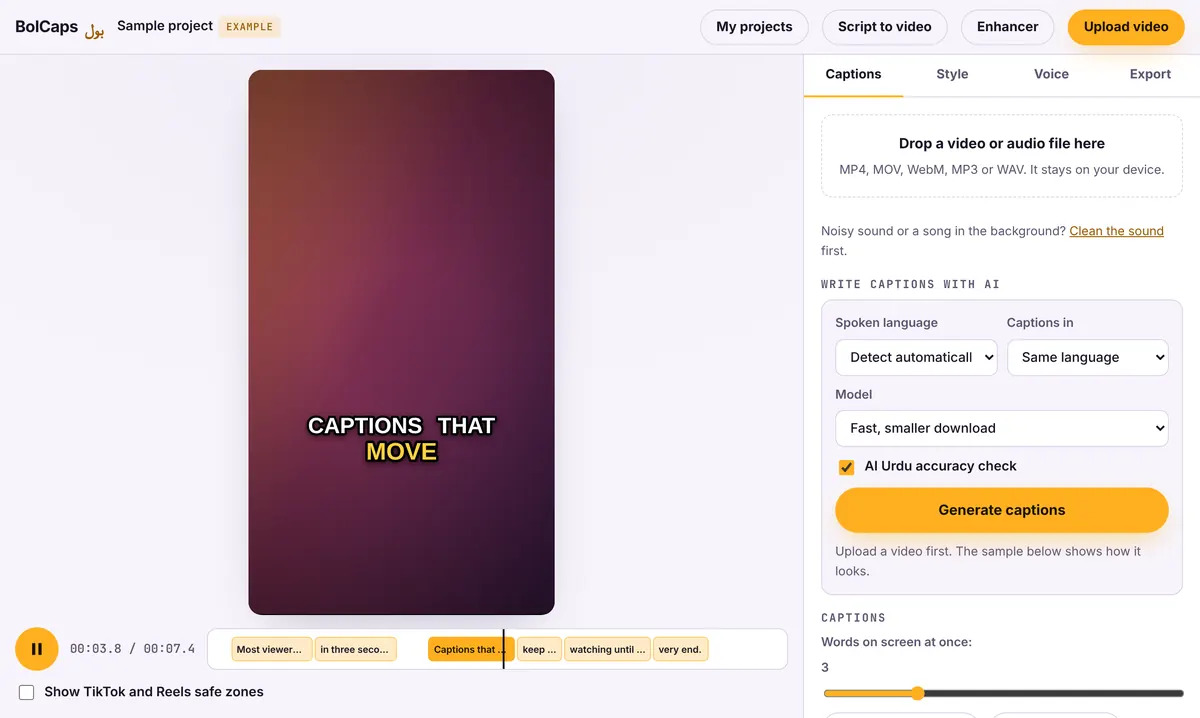
How to do it
- Open the editor and choose Long video to Shorts, or open the Caption studio with a clip you already cut.
- Add your episode video or audio.
- Let BolCaps pick the moments and write the captions. Check the words.
- Pick a caption style and export each clip as an MP4.
Audio-only podcast?
Use the Caption studio with your audio file and turn on Remove video, keep captions. You get a clean caption animation you can place over a cover image or waveform in any editor.
Clean the sound first
If the recording has hum, fan noise or room echo, run it through the free sound cleaner before captioning. Clear audio also gives more accurate captions.
No watermark
Your video is exported clean. A small "Made with BolCaps" credit is on by default, and one tick box turns it off. You need a free account only when you download.
How to pick a clip worth posting
- A strong opinion, a surprising number or a short story with a payoff.
- A moment that makes sense without the rest of the episode.
- 30 to 60 seconds, starting on the first interesting sentence, not on "So, um".
- A caption hook at the top: what the viewer will learn or feel.
Caption style for talking heads
Karaoke or Highlight box styles work well for conversations because viewers can read along. Place captions in the lower middle of the frame, under the speakers' chins, and use a different highlight color for each host if you like.
Frequently asked questions
Is it free for podcasters?
Yes. Finding clips, captions and exports are free.
Does it work with two or more speakers?
Yes. It captions everyone who talks. Fix any words where people talk over each other.
Can I post the clips on LinkedIn?
Yes. Export 1:1 or 9:16 depending on where you post.
Is my episode uploaded?
No. Everything runs on your device.
Can I make square clips for LinkedIn?
Yes. Choose 1:1 in the editor for square clips, or 9:16 for TikTok, Reels and Shorts.
More free tools
Free auto caption generatorAdd captions to a TikTok videoYouTube Shorts subtitle generatorFree SRT subtitle generatorReddit story video makerFaceless video makerFree AI voice generatorTranscribe audio to text, freeAnimated captions generatorInstagram Reels caption generatorVideo to text converterBurn subtitles into a videoA free Submagic alternativeA free VEED alternativeFree Urdu caption generatorHindi subtitles for Reels, freeAdd subtitles to a video, freeUrdu audio to textHindi audio to textFree Urdu text to speechFree Hindi text to speechFree AI text to videoA free CapCut alternativeRemove background noise from a videoRemove music from a video, keep the voiceYouTube reused content checkerYouTube thumbnail testerFree photo enhancerBlur a face in a photo online