Remove silence from a video, free
Dead air makes viewers swipe away. Cutting every pause by hand in an editor takes ages. BolCaps listens to your video, finds the pauses longer than the length you choose and cuts them out in one go, the way YouTubers and TikTokers make jump cuts. If the video has captions, they move with the cuts, so you can style and export straight away.
Remove silences free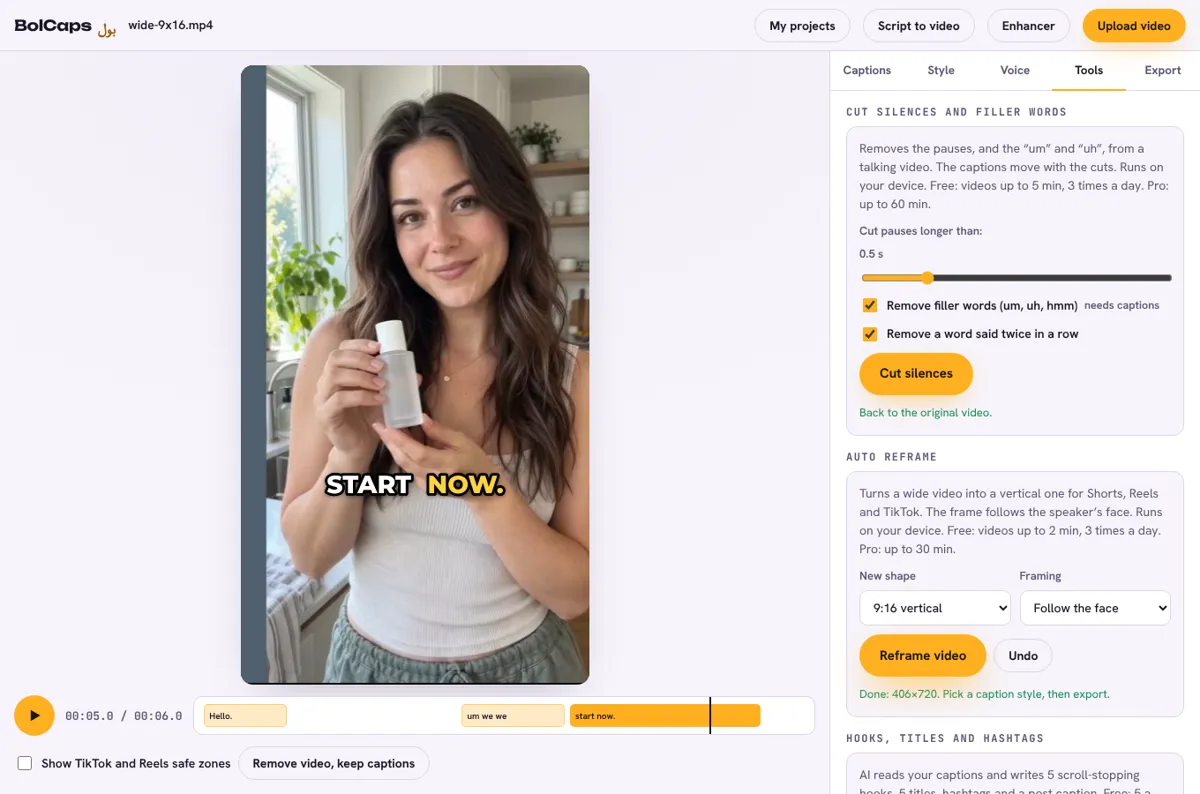
How to do it
- Open the Caption studio and add your talking video.
- Optional: press Generate captions first, so the captions move with the cuts and filler words can be removed too.
- In the Caption studio, open the Tools tab.
- Under Cut silences and filler words, choose how long a pause must be to cut (0.5 seconds is a good start).
- Press Cut silences. Play it back; press Undo to get the original back.
- Pick a caption style and export the MP4.
How long should a pause be before it is cut?
- 0.3 to 0.4 s: fast, punchy talking-head style for TikTok and Shorts.
- 0.5 to 0.7 s: natural pace for tutorials and YouTube videos.
- 1 s or more: only the long gaps, for interviews and podcasts.
A small bit of sound is kept on each side of every cut, and the sound fades in and out over a few milliseconds, so the cuts do not click.
Free and Pro
- Free: videos up to 5 minutes, 3 times a day.
- Pro: videos up to 60 minutes.
Captions, styles and MP4 export stay free either way, with no watermark.
Runs on your device
The video is cut and rebuilt inside your browser, so it is not uploaded anywhere and there is no queue. A laptop is fastest; recent phones work too. Chrome, Edge, Safari and Firefox are supported.
Frequently asked questions
Is the silence remover free?
Yes. Free accounts can cut videos up to 5 minutes long, 3 times a day. Pro takes videos up to 60 minutes.
Does it also remove um and uh?
Yes, when the video has captions: tick Remove filler words and BolCaps cuts the "um", "uh" and "hmm" sounds too, plus a word said twice in a row.
Will the captions still line up?
Yes. Every caption is moved to its new time, and words inside a cut are removed.
Is my video uploaded?
No. The cutting happens in your browser. Only if you make captions is the sound sent to the speech service, and it is not kept.
More free tools
Free auto caption generatorAdd captions to a TikTok videoYouTube Shorts subtitle generatorFree SRT subtitle generatorCaptions for podcast clipsReddit story video makerFaceless video makerFree AI voice generatorTranscribe audio to text, freeAnimated captions generatorInstagram Reels caption generatorVideo to text converterBurn subtitles into a videoA free Submagic alternativeA free VEED alternativeRemove um and uh from a videoAuto reframe a video to verticalFree AI video dubbingTranslate an Urdu video to EnglishTikTok hook generatorYouTube title and hashtag generatorRemove a video backgroundMovie explainer (recap) video makerFree closed caption generatorSpanish subtitle generatorFrench subtitle generatorTranscribe a Zoom recordingLecture to text, freeCaptions for LinkedIn videosTurn a long video into ShortsAI voiceover for YouTube videosA free Opus Clip alternativeA free Descript alternativeA free Kapwing alternativeA free ElevenLabs alternativeFree Urdu caption generatorHindi subtitles for Reels, freeAdd subtitles to a video, freeUrdu audio to textHindi audio to textFree Urdu text to speechFree Hindi text to speechFree AI text to videoA free CapCut alternativeRemove background noise from a videoRemove music from a video, keep the voiceYouTube reused content checkerYouTube thumbnail testerFree photo enhancerBlur a face in a photo online